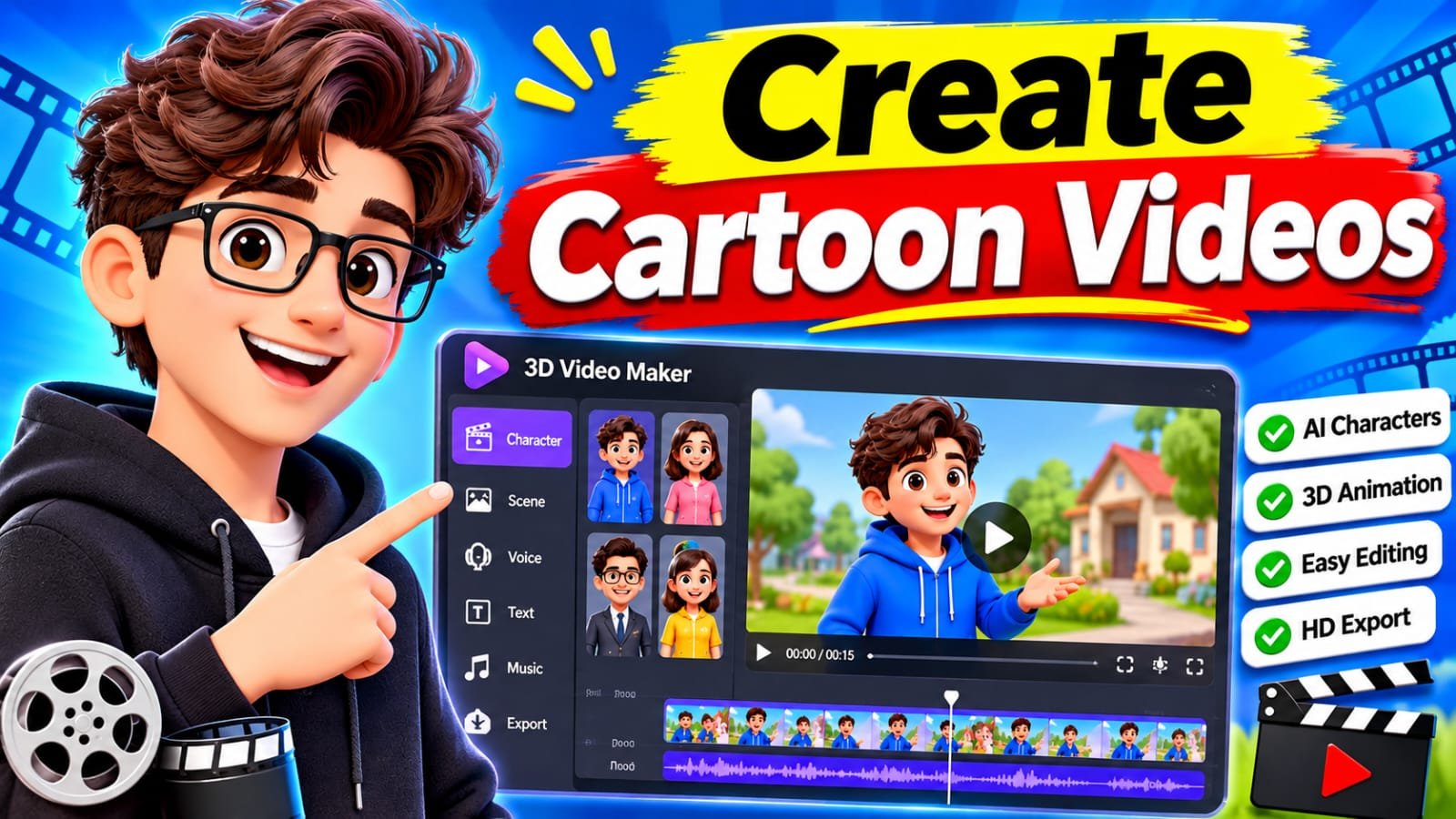
3D Video Maker: Create Professional 3D Videos Easily
Creating eye-catching videos is no longer limited to professional animation studios or experienced video editors. With a modern 3D video maker, anyone can transform simple ideas, images, and text into engaging three-dimensional videos. Whether you want to create promotional content, animated presentations, product demonstrations, or social media videos, 3D video-making tools make the process easier and more accessible.
As video marketing continues to grow, businesses, content creators, educators, and designers are increasingly using 3D animation to communicate ideas and attract audiences. The right 3D video maker can help you produce professional-looking content without requiring advanced animation skills or expensive equipment.
What Is a 3D Video Maker?
A 3D video maker is a software application or online platform that allows users to create videos featuring three-dimensional objects, characters, environments, and visual effects.
Unlike traditional 2D videos, which display flat images, 3D videos create the appearance of depth, movement, and realistic objects. These videos can include rotating products, animated characters, virtual environments, and realistic visual simulations.
Most modern 3D video makers provide ready-made templates, animation tools, visual effects, and customizable elements. Some platforms also use artificial intelligence (AI) to generate animations from text prompts or images.
Key Features of a 3D Video Maker
Before selecting a 3D animation tool, it’s important to understand the features that make video creation easier and more efficient.
1. 3D Animation Tools
Animation tools allow users to move objects, characters, and backgrounds in a three-dimensional environment. You can create rotating objects, animated scenes, and smooth transitions to make your videos more engaging.
2. Ready-Made Templates
Templates are especially useful for beginners. Instead of creating everything from scratch, you can select a professionally designed template and customize its text, colors, images, and animations.
3. AI-Powered Video Creation
Some modern tools offer AI-powered features that help users generate video concepts, create scenes, animate images, and simplify editing. These features can save time when producing marketing videos or social media content.
4. Professional Visual Effects
A good 3D video maker may include lighting effects, shadows, realistic textures, camera movements, and background customization. These features help make animations look more professional.
5. High-Quality Video Export
Export quality is another important consideration. Depending on the software, users may be able to export videos in HD, Full HD, or 4K resolution.
Best Uses of 3D Video Maker Software
3D video creation is useful across different industries. Here are some popular applications.
Business and Product Marketing
Businesses can use 3D animation to showcase products from different angles. For example, an electronics company can create a rotating 3D smartphone animation highlighting its design, camera system, and features.
These videos can be used on websites, landing pages, digital advertisements, and social media platforms.
Social Media Content
Content creators can use 3D video makers to produce engaging Instagram Reels, YouTube Shorts, TikTok videos, and promotional clips.
Animated text, 3D transitions, and creative visual effects can help make content more interesting.
Education and Online Learning
Teachers and educational institutions can use 3D animations to explain complex subjects. For example, science educators can demonstrate the human body, planets, chemical structures, or engineering concepts through animated visual presentations.
Real Estate and Architecture
Architects and property developers can create 3D walkthroughs to present building designs, interior layouts, and construction concepts before a project is completed.
How to Create a 3D Video Step by Step
You don’t necessarily need professional animation experience to start creating 3D videos. Follow these basic steps:
Step 1: Choose a 3D Video Maker
Select suitable software based on your experience, budget, and project requirements. Beginners may prefer template-based platforms, while advanced users may need professional 3D animation software.
Step 2: Select a Template or Start a Project
Choose an existing template or create a new project. Decide whether you want to produce a product animation, promotional video, educational presentation, or character animation.
Step 3: Add Your Content
Import images, videos, text, 3D models, and other necessary elements. Organize your content to create a clear visual story.
Step 4: Customize Animations and Effects
Adjust object movements, camera angles, lighting, colors, and transitions. Avoid adding too many effects because excessive animation can make videos difficult to follow.
Step 5: Preview and Export
Watch the complete video before exporting. Check for animation problems, spelling mistakes, audio issues, and inconsistent transitions. Finally, export your project in the appropriate resolution and format.
How to Choose the Best 3D Video Maker
Not every animation tool offers the same features. Consider these factors before purchasing a subscription or choosing a free platform:
- Ease of use: Choose software with a simple interface if you’re a beginner.
- Pricing: Compare free plans, monthly subscriptions, annual plans, and commercial licensing.
- Animation features: Look for customizable 3D models, camera controls, and realistic effects.
- Export quality: Make sure the platform supports the resolution and file formats you need.
- Performance: Check whether the software works smoothly on your computer.
- Customer support: Reliable tutorials and technical assistance can make learning easier.
Popular options worth exploring include Blender, Autodesk Maya, Cinema 4D, and Adobe After Effects. Each has different capabilities, learning requirements, and pricing arrangements.
Free vs. Paid 3D Video Maker Tools
Free and paid tools both have advantages.
Free software can be an excellent starting point for beginners, students, and independent content creators. For example, Blender provides powerful 3D modeling, animation, rendering, and video editing capabilities without a standard software subscription.
Paid platforms may offer specialized workflows, premium templates, advanced features, commercial support, and professional collaboration tools.
Before purchasing a subscription, review its licensing terms, export limitations, and available features to make sure it meets your requirements.
Tips for Creating Professional 3D Videos
Use these practical tips to improve your results:
- Start with a clear concept and write a short video script.
- Use high-quality 3D models and textures.
- Keep animations smooth and consistent.
- Choose appropriate lighting and camera angles.
- Add background music or sound effects when appropriate.
- Optimize video dimensions for your target platform.
- Keep promotional videos focused on the product or message.
Remember that good storytelling is just as important as impressive visual effects.
Conclusion
A 3D video maker is a valuable tool for anyone interested in creating engaging animations, promotional videos, educational content, or professional product demonstrations. With features such as 3D animation, customizable templates, AI-powered tools, and high-resolution exports, these platforms make video production more accessible than ever.
Download
Whether you’re a beginner, business owner, marketer, or professional designer, choosing the right software can help you turn creative ideas into impressive visual content. Start with a simple project, explore different animation techniques, and gradually develop your skills to create better 3D videos.