Clipping Videos: How to Create Engaging Short Clips from Long Videos
In today’s digital world, short-form videos are among the most effective ways to capture attention online. Whether you are a content creator, business owner, marketer, or social media enthusiast, clipping videos can help you transform long recordings into short, engaging content that reaches a wider audience. From podcasts and interviews to tutorials, webinars, and live streams, a few well-edited clips can make valuable content easier to watch and share.
Video clipping is not just about cutting unnecessary footage. It involves identifying interesting moments, improving presentation, adding captions, and creating videos that encourage viewers to keep watching. With modern video editing software and AI-powered tools, creating professional-looking clips has become easier than ever.
What Is Video Clipping?
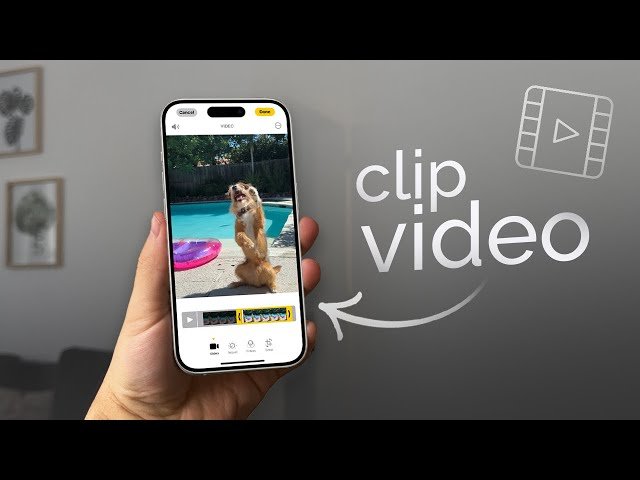
Video clipping is the process of extracting specific sections from a longer video and turning them into shorter, independent clips. These clips can be edited, formatted, and optimized for platforms such as YouTube Shorts, Instagram Reels, TikTok, and Facebook.
For example, a one-hour podcast might contain several interesting discussions. Instead of publishing only the complete recording, a creator can extract five or ten short clips highlighting the most valuable moments.
Video clipping is commonly used for:
- Social media marketing and advertising.
- Podcast highlights and interviews.
- Educational videos and tutorials.
- Gaming highlights and live streams.
- Business presentations and promotional content.
- YouTube Shorts and Instagram Reels.
Benefits of Clipping Videos for Content Creators
Video clipping offers several advantages for individuals and businesses looking to improve their online presence.
1. Reach a Larger Audience
Short videos make content easier to discover, especially on platforms that recommend videos based on viewer interests. A well-produced clip can introduce your content to people who might never watch a full-length video.
2. Save Time and Production Costs
Creating original videos regularly requires planning, recording, editing, and sometimes expensive equipment. Clipping videos allows creators to reuse existing recordings instead of starting from scratch.
3. Improve Social Media Engagement
Short, focused videos can encourage viewers to comment, share, and interact with content. Adding subtitles, interesting visuals, and an attention-grabbing opening can make clips more engaging.
4. Generate More Marketing Opportunities
Businesses can turn product demonstrations, customer testimonials, webinars, and interviews into promotional video clips. These can support digital marketing campaigns and help potential customers understand products or services.
Best Tools for Clipping Videos
Choosing the right video editing software can make the clipping process faster and more efficient. Several tools offer beginner-friendly features as well as advanced editing options.
CapCut
CapCut is a popular video editing application that provides trimming, transitions, automatic captions, filters, and templates. It is useful for creators who want to produce short videos for social media without learning complicated editing techniques.
Adobe Premiere Pro
Adobe Premiere Pro is professional video editing software designed for advanced editing projects. It offers precise timeline controls, audio adjustments, color correction, and professional production features.
DaVinci Resolve
DaVinci Resolve provides powerful video editing, color grading, and audio production tools. It is suitable for creators who want more control over the quality and appearance of their clips.
AI Video Clipping Tools
AI-powered video clipping software can analyze long recordings and identify potentially interesting moments. Some platforms also generate captions, resize videos, and suggest suitable clips automatically.
These tools can be particularly helpful for podcast creators, marketers, and businesses that publish content regularly.
How to Clip Videos Step by Step
Creating attractive video clips does not require advanced technical knowledge. Following a simple workflow can help you produce better results.
Step 1: Choose Your Source Video
Start with a high-quality recording, such as a podcast, interview, tutorial, webinar, or live stream. Make sure you have permission to edit and republish the footage.
Step 2: Identify the Best Moments
Watch the recording and identify sections that contain useful information, interesting discussions, entertaining moments, or valuable tips.
Choose moments that communicate a complete idea without requiring viewers to watch the entire original video.
Step 3: Trim and Edit the Footage
Import your recording into a video editor and remove unnecessary pauses, mistakes, and unrelated sections. Keep the clip focused and avoid making the editing feel unnatural.
Step 4: Add Captions and Visual Elements
Captions make videos easier to understand, particularly when people watch without sound. You can also add background music, transitions, relevant images, and simple animations.
Step 5: Choose the Right Video Format
Different platforms support different video formats. For vertical short-form content, a 9:16 aspect ratio is commonly used, with a resolution of 1080 × 1920 pixels.
Step 6: Export and Publish
Export your video using appropriate quality settings. Write an interesting title, include a relevant description, and use suitable hashtags when publishing.
Tips for Creating High-Quality Video Clips
If you want your clips to stand out, focus on quality rather than simply producing a large number of videos.
Consider these practical tips:
- Start with a strong hook: Capture attention within the first few seconds.
- Keep clips focused: Communicate one main idea in each video.
- Use readable captions: Choose clear fonts and appropriate text sizes.
- Maintain good audio: Remove distracting background noise where possible.
- Avoid excessive effects: Keep transitions and animations professional.
- Optimize for mobile: Make sure important visuals and text are easy to see on smaller screens.
- Use original or licensed material: Avoid copyright problems by using content you own or have permission to publish.
Can AI Automatically Clip Long Videos?
Yes. AI video clipping tools can simplify many editing tasks. Depending on the software, these tools can analyze conversations, detect speakers, identify highlights, generate subtitles, and create multiple short clips from a single recording.
For example, a content creator can upload a 45-minute interview and use an AI-powered editor to identify several interesting sections. The creator can then review the suggestions, adjust the clips, and publish the best results.
However, AI-generated clips should always be reviewed before publishing. Automated tools may remove important context, select incomplete sentences, or misunderstand the meaning of a conversation.
Conclusion
Clipping videos is an effective way to turn long recordings into valuable short-form content. Whether you are growing a YouTube channel, promoting a business, sharing educational information, or building a social media audience, video clipping can help you reach more viewers while making better use of existing content.
With tools such as CapCut, Adobe Premiere Pro, DaVinci Resolve, and AI-powered video editors, creating engaging clips is easier and more accessible than ever.
Download
The key to success is choosing meaningful moments, maintaining good video and audio quality, adding clear captions, and publishing content consistently. Start with your best recordings, experiment with different editing techniques, and turn your long videos into engaging clips that people want to watch and share.