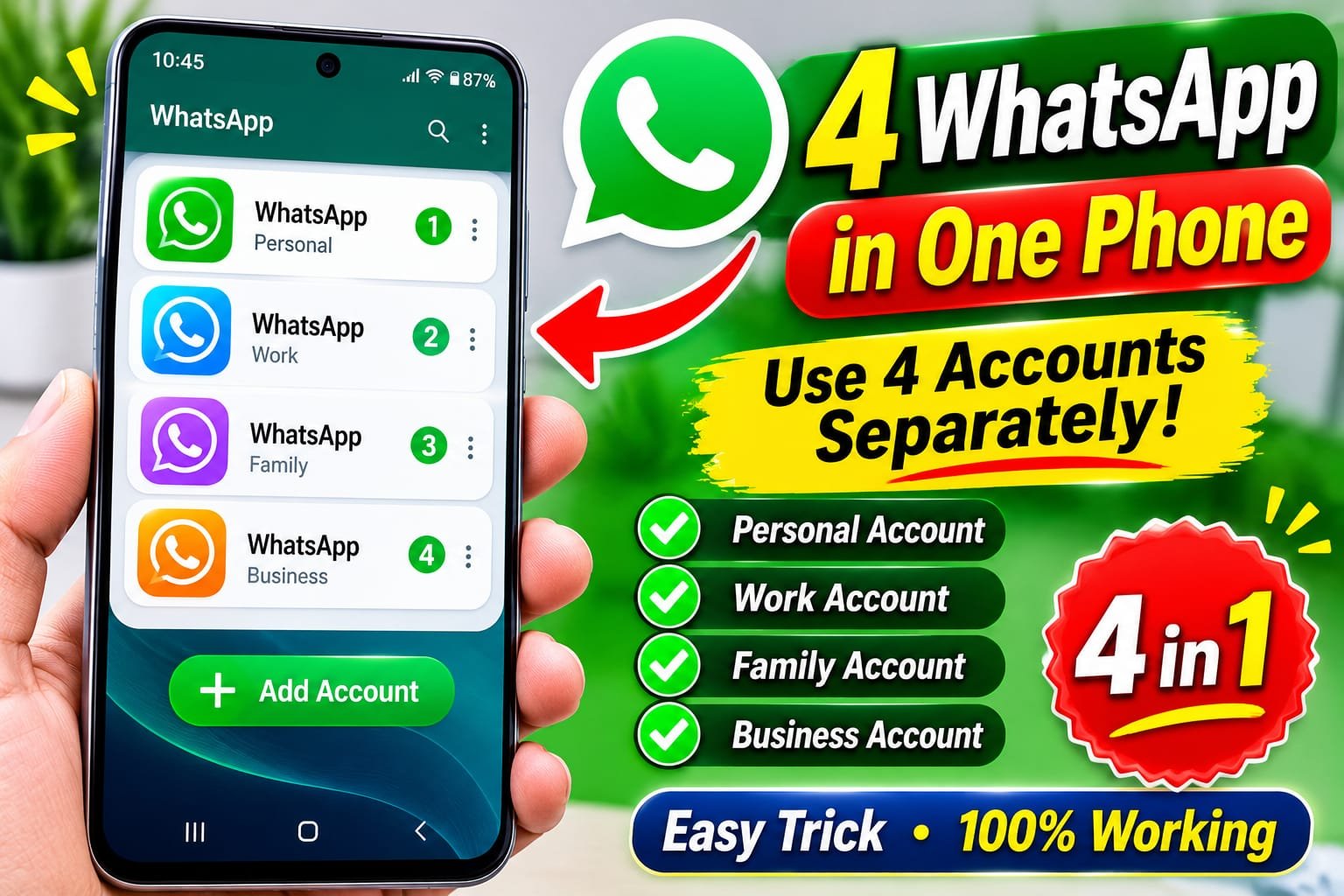
4 WhatsApp Accounts in One Phone – How to Use Four WhatsApp Accounts on Android
Introduction
WhatsApp is one of the most popular messaging applications in the world. Millions of people use it every day for personal conversations, business communication, family groups, sharing photos, sending videos, and making voice and video calls. Many smartphone users have more than one phone number, especially people who want to keep their personal and professional lives separate. Normally, users install WhatsApp on their smartphones and register one phone number. However, there are several ways to manage multiple WhatsApp accounts on a single Android phone. With the help of WhatsApp’s official multiple-account feature, WhatsApp Business, and built-in app cloning features, some Android devices can support up to four separate WhatsApp accounts. The best part is that you do not necessarily need four smartphones. You can manage different accounts from one device, depending on your phone’s software and available features. In this complete guide, we will explain how to use four WhatsApp accounts on one phone, how to install multiple WhatsApp applications, how to configure different phone numbers, and how to manage your messages without confusion.
Can You Use Four WhatsApp Accounts on One Phone?
Yes, it is possible to set up four separate WhatsApp accounts on some Android smartphones by combining official WhatsApp applications with the phone manufacturer’s app cloning feature. WhatsApp officially supports two accounts within one WhatsApp Messenger application. You can also use WhatsApp Business as a separate application. An additional cloned application may provide another separate installation, depending on your Android device. However, WhatsApp does not officially provide a universal four-account feature inside one application. The exact method depends on your smartphone manufacturer, software version, and available cloning options.
Main Requirements for Using Four WhatsApp Accounts
Before setting up four accounts, make sure you have the following things.
1. Android Smartphone
You need an Android smartphone that supports multiple applications or app cloning. Many Samsung, Xiaomi, Redmi, OPPO, Vivo, and other Android devices provide some form of app duplication.
2. Four Different Phone Numbers
Each separate WhatsApp account requires its own phone number for registration. You can use physical SIM cards or eligible eSIM numbers.
3. Internet Connection
A stable Wi-Fi or mobile data connection is required to download applications and complete account verification.
4. Enough Storage Space
Running multiple messaging applications can use additional storage because every account may contain its own photos, videos, documents, and chat backups.
5. Updated Applications
Make sure that WhatsApp and WhatsApp Business are updated to compatible versions.
Method 1. Use Two Accounts in Official WhatsApp
The first method is the official multiple-account feature provided by WhatsApp. It allows users to add a second account inside the same WhatsApp application.
Step 1. Open WhatsApp
Open the official WhatsApp application on your Android smartphone.
Step 2. Open Settings
Tap the three-dot menu and select Settings. Depending on your application version, you may also see an account switcher beside your profile name.
Step 3. Select Add Account
Tap the arrow or plus icon next to your account name and select Add Account.
Step 4. Enter Your Second Number
Enter the second phone number that you want to use for your additional WhatsApp account.
Step 5. Verify Your Number
WhatsApp will ask you to verify the phone number using an SMS code or another supported verification method.
Step 6. Complete Your Profile
After verification, enter your name, add a profile picture, and complete the account setup. Now you can switch between two WhatsApp accounts without logging out every time.
Method 2. Install WhatsApp Business
The second method is to install WhatsApp Business. It is an official messaging application designed for businesses, freelancers, online sellers, and people who communicate with customers. WhatsApp Business works separately from the standard WhatsApp Messenger application.
Step 1. Open Google Play Store
Open Google Play Store on your Android smartphone.
Step 2. Search for WhatsApp Business
Type WhatsApp Business in the search box and identify the official application.
Step 3. Install the Application
Tap Install and wait until the application finishes downloading.
Step 4. Open WhatsApp Business
Launch the application and accept its setup instructions.
Step 5. Register Another Phone Number
Enter a different phone number that is not currently registered to another active account.
Step 6. Verify Your Number
Complete the verification process and configure your business profile. You now have another independent WhatsApp account on the same smartphone.
Method 3. Enable Dual Messenger or App Clone
The third method is to use your smartphone’s built-in application cloning feature. This option is available on selected Android smartphones. Different manufacturers use different names for this feature.
- Samsung: Dual Messenger.
- Xiaomi and Redmi: Dual Apps.
- OPPO: App Cloner.
- Realme: App Cloner.
- Vivo: App Clone. The available options depend on the device model and software version.
How to Enable Dual Messenger on Samsung
If you use a Samsung Galaxy smartphone, you can try the Dual Messenger feature.
Step 1. Open Phone Settings
Open the Settings application on your Samsung smartphone.
Step 2. Find Advanced Features
Scroll down and select Advanced Features.
Step 3. Open Dual Messenger
Find the Dual Messenger option and tap it.
Step 4. Select WhatsApp
You will see a list of supported applications. Select WhatsApp if it is available.
Step 5. Install the Second Copy
Turn on the WhatsApp option and confirm the installation.
Step 6. Open the Cloned Application
Return to your home screen. You should see another WhatsApp icon, usually marked with a small duplicate symbol.
Step 7. Register Another Number
Open the cloned application and register a different phone number. Your phone now has another separate WhatsApp installation.
Method 4. Combine Different WhatsApp Installations
After configuring the previous methods, you can organize your accounts into four separate profiles, provided your phone supports the required cloning configuration. A possible arrangement is:
Account 1. Main WhatsApp
Use your original WhatsApp account for personal communication, family members, and friends.
Account 2. Second WhatsApp Account
Use WhatsApp’s official Add Account feature to register another number within the main application.
Account 3. WhatsApp Business
Use WhatsApp Business for customers, online business, clients, and professional communication.
Account 4. Cloned WhatsApp
Use your smartphone’s Dual Messenger or App Clone feature to install another supported WhatsApp instance and register a fourth number. Remember that this configuration is device-dependent. Some smartphones may not support every combination, and cloning an application does not guarantee that four accounts will work on every model.
Best Ways to Manage Four WhatsApp Accounts
Managing four accounts can become confusing if you receive notifications from different profiles. You should organize them properly.
Use Different Profile Pictures
Choose a different profile picture for each account so you can recognize the correct profile easily.
Set Different Notification Sounds
If your device and application versions support separate notification settings, use different notification sounds for different accounts.
Keep Business and Personal Chats Separate
Do not mix customer conversations with personal messages. Keep your business account dedicated to professional communication.
Use Different Account Names
You can use recognizable profile names to identify each account.
Organize Your Home Screen
Place the four WhatsApp icons in a single folder or arrange them in a way that makes switching easier.
Advantages of Using Four WhatsApp Accounts on One Phone
1. No Need for Multiple Smartphones
One of the biggest advantages is that you may not need to carry several smartphones. You can manage different numbers using one compatible Android device.
2. Separate Personal and Professional Communication
You can keep family conversations, work messages, business customers, and other communication separate.
3. Better Business Management
Online sellers, freelancers, and small business owners can organize their communication through different accounts.
4. Easy Account Switching
WhatsApp’s official account-switching feature makes it easier to move between supported accounts.
5. Save Money
Using one smartphone instead of purchasing several devices can reduce hardware expenses.
6. Convenient Notifications
You can receive notifications from multiple installed applications without constantly switching SIM cards.
7. Better Communication Organization
Different accounts can help you organize conversations according to your personal and professional needs.
Is It Safe to Use Four WhatsApp Accounts?
Using multiple official WhatsApp applications and supported phone cloning features can be a convenient option. However, users should understand the difference between official applications and modified versions. Always download WhatsApp from trusted application stores and avoid unofficial modified versions. Modified applications may introduce security risks, privacy concerns, and account restrictions. You should also protect each account with two-step verification and use a secure screen lock.
Important Tips Before Using Multiple WhatsApp Accounts
Use Separate Phone Numbers
Every account needs its own eligible phone number for registration. You cannot register four separate accounts using the same number.
Enable Two-Step Verification
Open the privacy and account security settings and enable two-step verification where available.
Back Up Your Chats
Configure chat backups for important accounts. Check which Google account is being used for each backup to avoid confusion.
Keep Applications Updated
Install official updates to receive security improvements and compatibility fixes.
Avoid Unofficial Cloning Applications
Third-party cloning applications may request extensive permissions. Prefer your phone’s built-in cloning feature whenever possible.
Monitor Storage Usage
Multiple WhatsApp accounts can generate a large amount of media files. Review storage regularly and remove unnecessary downloads.
How to Fix Common Problems
WhatsApp Clone Is Not Appearing
Some devices do not support cloning every application. Check your phone settings and software version.
Unable to Verify a Phone Number
Check your country code and phone number. Make sure you can receive the verification SMS or call.
WhatsApp Is Not Receiving Notifications
Check notification permissions, battery optimization, background data, and internet access.
WhatsApp Is Running Slowly
Close unnecessary applications, clear unwanted media files, and make sure your phone has sufficient free storage.
Duplicate WhatsApp Keeps Crashing
Update your applications and restart your smartphone. If the issue continues, check whether your phone officially supports the cloning feature.
Backup Is Not Working
Check your Google account, available Google Drive storage, internet connection, and WhatsApp backup settings.
Frequently Asked Questions
Can I Use Four WhatsApp Accounts on One Android Phone?
Yes, some Android phones can support four accounts through a combination of official WhatsApp multiple-account support, WhatsApp Business, and application cloning.
Can I Use Four WhatsApp Accounts With One SIM Card?
No. Each separately registered account requires its own phone number. You can receive verification codes through eligible numbers even if the SIM is not permanently inside the phone.
Can I Use Four WhatsApp Accounts on Samsung?
Some Samsung devices support Dual Messenger, which can create an additional copy of supported applications. You can combine this with the official WhatsApp multiple-account feature and WhatsApp Business, subject to compatibility.
Can I Use Four WhatsApp Accounts on Xiaomi?
Some Xiaomi and Redmi smartphones offer Dual Apps. This can provide an additional application instance, but the exact number of supported accounts depends on the configuration.
Can I Use Four WhatsApp Accounts on iPhone?
The options on iPhone are more limited. You can use the official WhatsApp application and WhatsApp Business, and WhatsApp supports two accounts in one Messenger application where the feature is available. A four-account setup is not universally supported.
Will All Four Accounts Receive Notifications?
Notifications depend on background permissions, battery settings, internet connectivity, and application compatibility.
Can I Use WhatsApp Business and Normal WhatsApp Together?
Yes. You can install both official applications on the same compatible smartphone and register different phone numbers.
Does Using Multiple WhatsApp Accounts Affect Phone Performance?
It can increase RAM usage, storage consumption, and battery usage, especially when all applications are active in the background.
Can I Use the Same Number in Two WhatsApp Accounts?
No. A phone number cannot be registered as two separate primary WhatsApp accounts at the same time.
Is Dual Messenger Available on Every Samsung Phone?
No. Availability depends on the Samsung model, software version, and supported applications.
Can I Use Multiple WhatsApp Accounts Without Root?
Yes. The official multiple-account feature and manufacturer-provided app cloning options generally do not require root access.
Are Modified WhatsApp Applications Recommended?
No. Unofficial modified applications can create security and privacy risks. Always prefer official applications.
Final Verdict
Using four WhatsApp accounts on one phone can be a useful solution for people who manage several phone numbers. Whether you are a business owner, freelancer, online seller, content creator, or someone who wants to keep personal communication separate, multiple accounts can make daily communication easier. The most practical approach is to combine the official WhatsApp multiple-account feature, WhatsApp Business, and your smartphone’s built-in app cloning option. However, the exact setup depends on your Android device and application compatibility. Always use official applications, keep your phone updated, protect your accounts, and back up important conversations. With the right configuration, you can manage multiple WhatsApp profiles from a single smartphone without carrying several devices.
About APK Bros
APK Bros publishes useful Android tutorials, technology guides, application information, and smartphone tips. Our goal is to help readers discover practical mobile features and learn how to use their Android devices more effectively.